Your brand. Powered by QTWatch.

Your logo.
Your name.
Your app.

Your clients know your business. Give them a familiar app that brings your security service into their everyday lives, from checking a site to following a response.

Look inside the app
Client-brandedMultiple sitesConnected to your control room
YOUR CLIENT RELATIONSHIP, CONNECTED
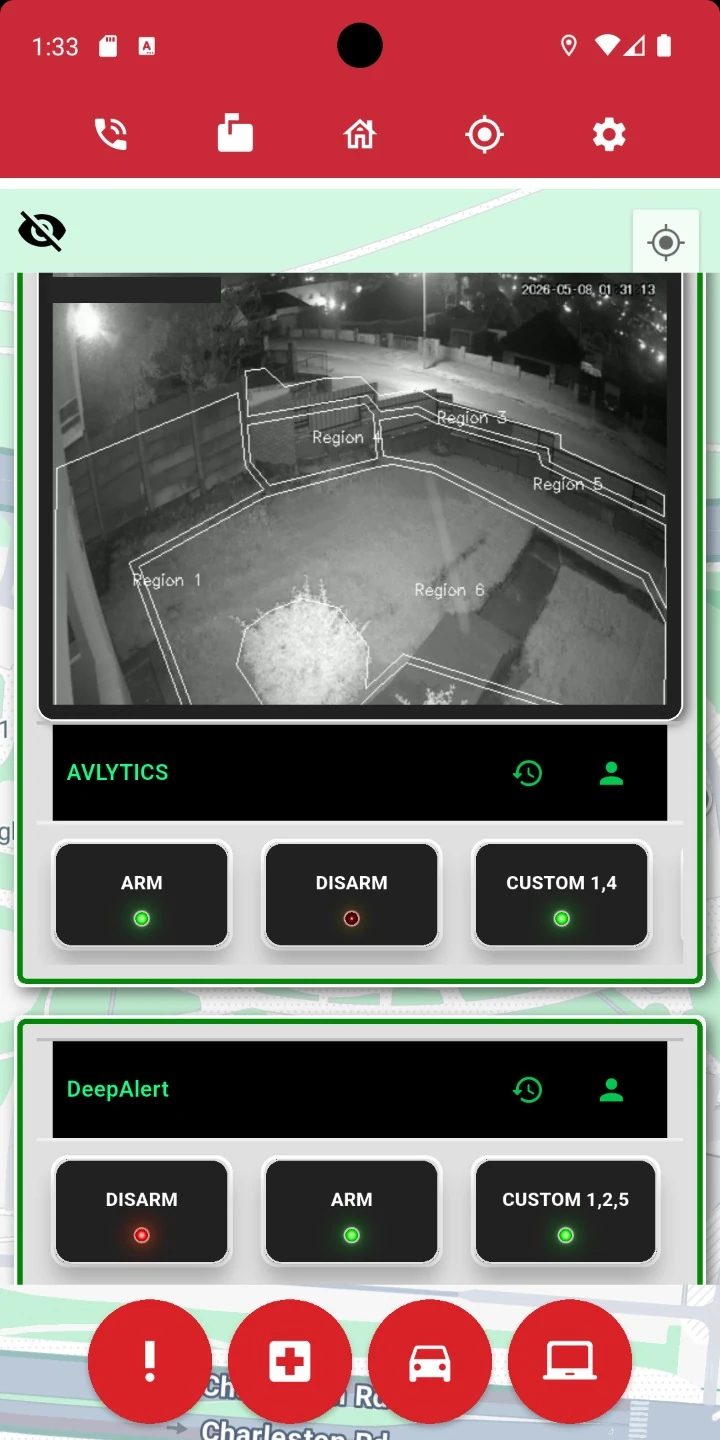
Client app home showing camera context and arming controls
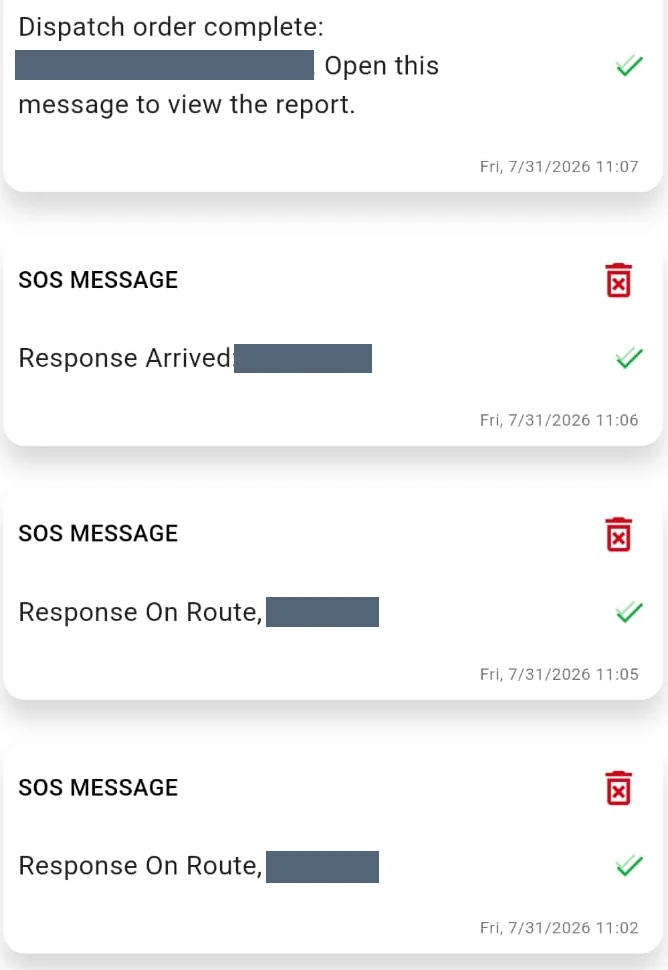
Response milestone updates in the client app

Real screens from the QTWatch app family.
Branding and enabled functions vary by company.

A useful daily touchpoint.A clear line to your team.A service clients can see.

Take a closer look

More than an alert.
A closer connection.

Explore the app through the things your clients actually do. See how the everyday controls, alerts and updates connect to your security service.

THE CLIENT’S EVERYDAY VIEW

Every site.
One familiar home.

Keep the sites a client looks after together, with site-specific controls and shortcuts to the information they need.

    Keep the conversation in your app

    Clients can follow
    the response.

    Make service progress visible under your company’s own brand. Response updates and the after-reaction report give clients a clearer account of what happened.

    1. 01

      On route

      Let the client know the response is moving.

    2. 02

      Arrived

      Keep the client informed when the team reaches the site.

    3. 03

      Completed. Report ready.

      Connect the completion update to the recorded outcome.

    Checks, notes and completion details help explain the service.

    And when your people are in the field

    The next step travels
    with your team.

    The wider mobile workflows support response officers and technicians, with the job context close to the work.

    RESPONSE OFFICERS · GROUNDWATCH

    Dispatch with
    the details in hand.

    Give officers an actionable assignment, route information and a structured way to record what happened.

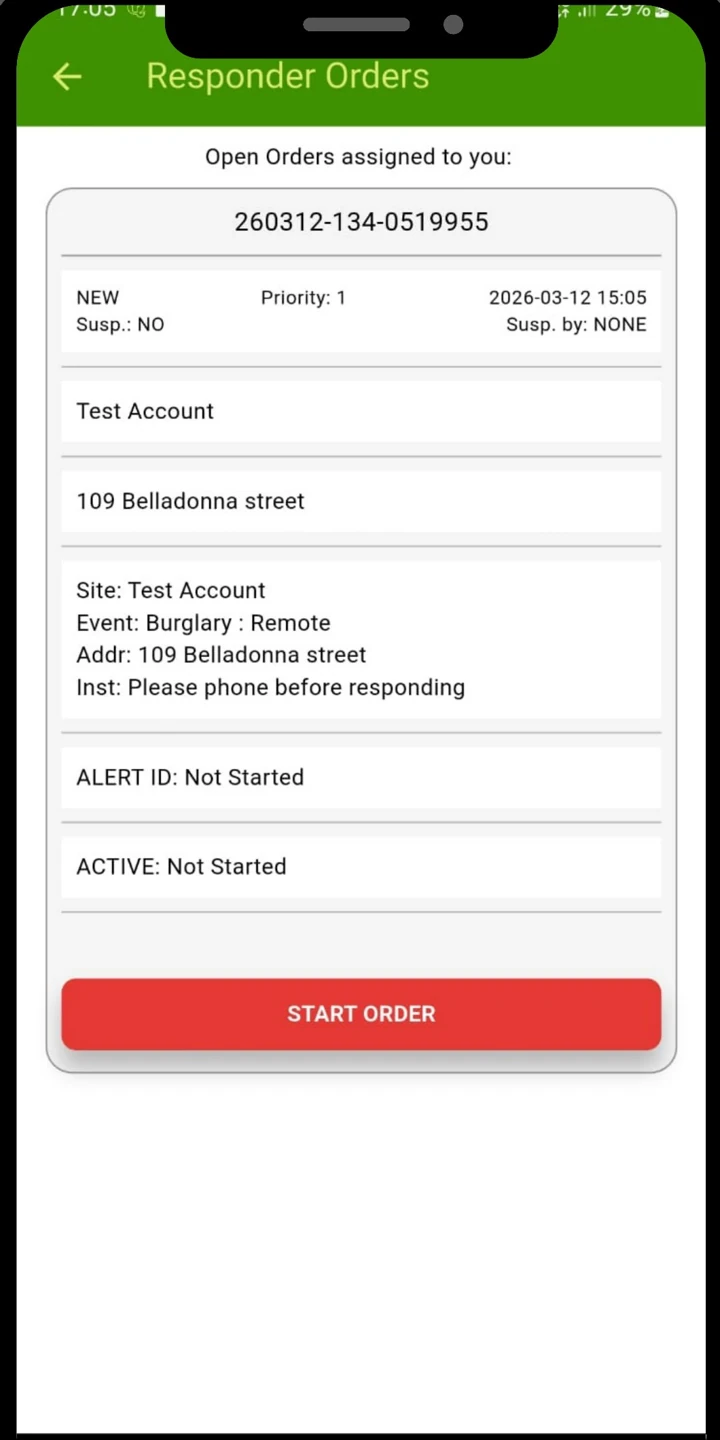
    • Responder orders and navigation
    • Scene checks, notes and photos
    • Completion and report handover
    Explore response features
    Responder orders example
    TECHNICIANS · TECHNICAL SERVICE

    Give the work
    a proper finish.

    Keep work done, equipment details, evidence and sign-off attached to the technical job.

    • Booked work and site context
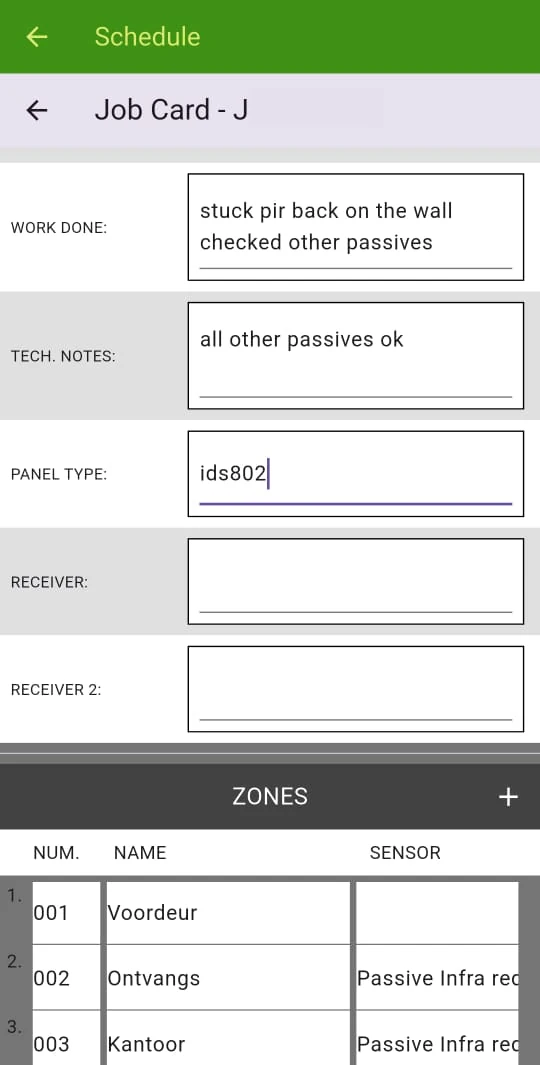
    • Structured electronic job cards
    • Photos, signatures and archived reports
    Explore technical features
    Electronic technical job card example

    Bring your brand into the conversation

    Your service.
    Their pocket.

    Let’s look at the app your clients could use every day.